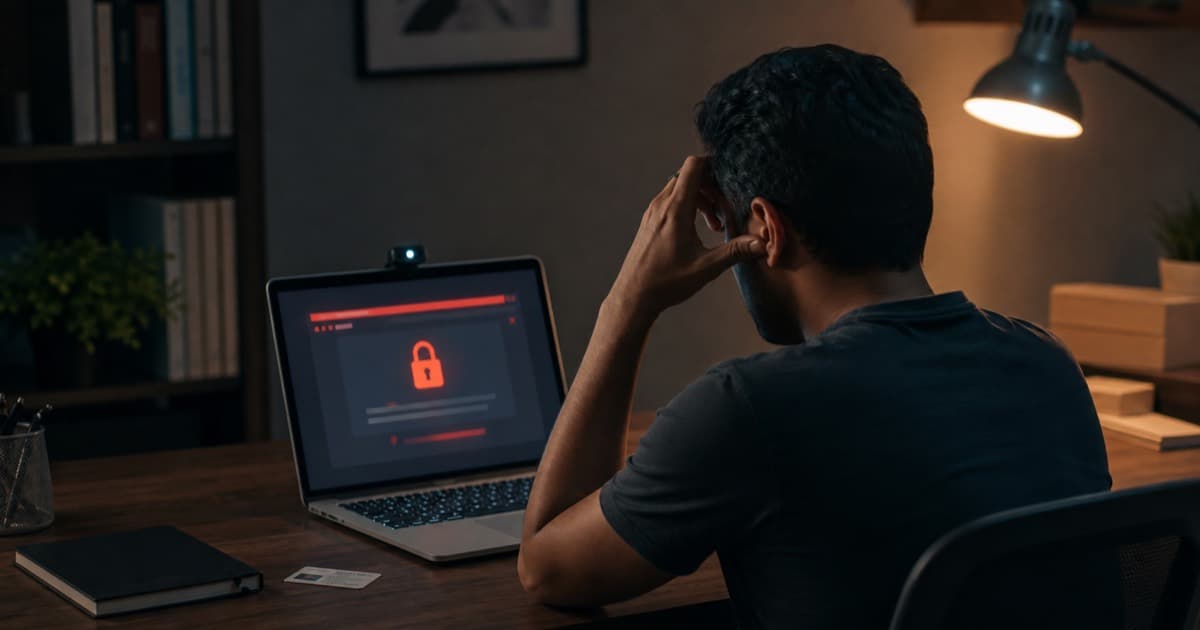
If your Pearson VUE exam terminated unfairly, you probably do not feel like reading a calm little policy summary right now. You feel robbed. Maybe you studied for months, cleaned your desk like a crime scene technician, passed the system test, showed your ID, did the room scan, started answering questions... and then the screen went cold. Session ended. Exam revoked. No score.
That is why searches like "Pearson VUE terminated my exam," "Pearson VUE exam crashed," "exam terminated for moving," and "CompTIA OnVUE proctor problems" are so emotionally loaded. This is not just a technical inconvenience. For many candidates, a terminated online exam means lost money, missed promotion deadlines, awkward conversations with a manager, and the miserable feeling that a stranger on webcam had the final say over months of preparation.
This guide looks at the online proctored exam horror stories people keep reporting across certification communities. Some details below are composite scenarios based on common candidate reports, because the same patterns repeat constantly: frozen apps, strict proctors, unclear warnings, internet drops, false misconduct flags, and confusing appeal responses. Names are not the point. The pattern is.
Pearson VUE Exam Terminated Unfairly: The Quick Answer
If your Pearson VUE exam terminated unfairly, act fast and keep the facts tight. Write down the appointment time, exam name, proctor instructions, exact error messages, whether the OnVUE app froze, and what happened immediately before termination. Then open a Pearson VUE case and, if needed, contact the certification sponsor with the case number.
Do This Before Your Memory Blurs
- Save your appointment confirmation and any termination email.
- Write a timeline while the details are fresh, including proctor chat messages you remember.
- Note technical details: Wi-Fi status, app crash, webcam issue, frozen screen, or power interruption.
- Avoid emotional claims in the support ticket. Use clear facts.
- If the answer is generic, escalate through the exam sponsor.
The hard part is that Pearson VUE exam issues do not all land in the same bucket. A true Pearson VUE glitch is different from a room rule violation. A Pearson VUE exam revoked after misconduct review is different from a Pearson VUE exam not working before launch. A Pearson VUE exam refused during check-in is different from a failed Pearson VUE exam after normal scoring. Annoying? Very. But the category matters because refunds, retakes, and appeal options depend on it.
Why Online Exam Terminations Feel So Unfair
Online proctoring turns your home into a testing center, except your home was never designed to be one. A testing center has controlled lighting, locked-down machines, empty desks, trained staff, and a predictable check-in flow. Your bedroom or apartment has neighbors, family, pets, browser extensions, weak Wi-Fi corners, delivery knocks, and that one lamp that makes your webcam look suspiciously grainy.
So when candidates say Pearson VUE terrible, what they often mean is more specific: the online environment feels brittle. One tiny thing can become a crisis. You look away to think. The proctor asks what you are looking at. You read a question out loud under your breath. Warning. Your webcam freezes for five seconds. Panic. The OnVUE app locks up and now you are searching "why is Pearson VUE not working" from your phone, wondering if using the phone will make the situation worse.
The Rules Are Real, But the Judgment Feels Invisible
Pearson VUE online testing rules exist for a reason. Certification exams need security. No notes, no phones, no extra monitors, no other people in the room, no copying questions, no help from off-screen. Fair enough.
But what candidates struggle with is the gray zone. Is Pearson VUE strict? Absolutely. Is Pearson VUE safe? For most people, yes. Is Pearson VUE legit? Yes, it is a major testing provider. Still, when a proctor interprets a nervous habit as suspicious behavior, the experience can feel less like security and more like a trapdoor. Click. Gone.
The Emotional Cost Is Bigger Than the Voucher
A terminated CompTIA exam can wreck more than your afternoon. Maybe you needed Security+ for a DoD role. Maybe your employer paid for the voucher and now wants an explanation. Maybe you used PTO, paid for childcare, or rearranged your whole week around a 90-minute exam. When the session ends without a score, the money hurts, but the helplessness hurts more.
That is why "termination of test attempts on Pearson VUE" and "termination of test attempts on your Pearson VUE account meaning" are not dry account-status searches. They are distress signals. People are trying to decode whether they failed, got banned, lost the voucher, triggered misconduct review, or simply got caught in a technical mess.
Online Proctored Exam Horror Stories Candidates Keep Reporting
Let's talk about the stories. Not urban legends. Not dramatic campfire nonsense. These are the recurring situations candidates describe when they say their online proctored exam went sideways.
Story 1: The Exam Terminated for Moving
The candidate is halfway through a CompTIA Network+ performance question. They lean closer to the screen because the topology is small. Then they lean back. Then they put a hand near their mouth, because thinking is apparently a full-body sport.
The proctor warns them to stop moving. The candidate freezes, which makes everything worse because now every blink feels deliberate. Minutes later, another warning appears. The candidate tries to ask what exactly is wrong, but the chat response is short: stay in view. Then the exam closes.
Searches after that one usually sound like "exam terminated for moving," "Pearson VUE exam violation," or "Pearson VUE misconduct." The candidate insists they were not cheating. The proctor saw behavior that violated or appeared to violate the rules. Two realities collide, and the candidate is left trying to prove a negative.
Story 2: The Crash That Became a Candidate Problem
This one is brutally common. The system test passes the night before. The check-in process works. The exam launches. Then the app freezes, the webcam feed drops, or the screen goes blank. The candidate waits because touching anything feels risky. Eventually the session disconnects.
Now the candidate is typing "Pearson VUE exam crashed," "Pearson VUE exam not working," "Pearson VUE glitch," "Pearson VUE test issues," and "Pearson VUE testing problems" into search. The worst version is when support treats the crash like a local machine issue and the exam sponsor says it must wait for Pearson VUE's incident review.
Nobody wants to hear "please allow three to five business days" when they were ready to pass that morning.
Story 3: The Room Scan That Would Not End
Online testing begins before the first question. You show your ID, photograph your desk, scan the walls, unplug monitors, move papers, show under the keyboard, and prove there is not a suspicious sticky note hiding behind your water bottle. It is awkward, but manageable.
Unless the proctor keeps asking for more. Show the floor. Show the ceiling. Show behind the laptop. Move the webcam slower. Now faster. The candidate gets flustered, the laptop cable yanks, the camera angle changes, and suddenly check-in feels like an interrogation. Some candidates get a Pearson VUE exam refused before they even see question one.
Story 4: The Other Person in the Room
This one is painful because it can be completely innocent. A child opens the door. A roommate asks a question. A spouse walks behind the candidate for two seconds. The proctor terminates the session or starts a misconduct review.
From the testing provider's point of view, another person in the room is a major security problem. From the candidate's point of view, it is a household accident. Both can be true, which is why online testing at home is so unforgiving. If your space is not controllable, the in-person testing center may be the less stressful option.
Story 5: The Revoked Exam and the Silent Account
Some candidates finish the exam and think they are done. Then later the status changes, or an email says the exam was revoked. Cue the panic search: "Pearson VUE exam revoked Reddit," "Pearson VUE terminated my exam," "does Pearson VUE tell you if you passed," and "does Pearson VUE tell you if you failed."
A revoked result is different from a normal pass or fail. It can mean the exam was invalidated after review. Sometimes candidates know exactly what triggered it. Sometimes they are baffled. Either way, the next step is documentation and escalation, not guesswork.
A Note About Forum Stories
Forum posts can help you feel less alone, but they are not always complete evidence. A person may leave out a warning, a rule they missed, or a technical detail they did not understand. Read online proctored exam horror stories for patterns, not verdicts.
What Triggers Pearson VUE and OnVUE Proctor Problems?
Most CompTIA OnVUE proctor problems come from a handful of triggers. Some are obvious. Others feel almost silly until they end your session.
- Looking away too often: Reading, thinking, or staring at the ceiling can look suspicious through a webcam.
- Muttering or reading aloud: Even quiet self-talk can be treated as communication.
- Leaving camera view: Ducking down, reaching far off-screen, or standing up can trigger intervention.
- Background noise: Voices nearby can create a security concern even if nobody is helping you.
- Technical interruptions: App crashes, webcam drops, internet instability, VPNs, and firewall conflicts can derail the exam.
- Room-scan concerns: Extra monitors, notes, papers, books, TVs, and clutter can delay or block check-in.
This is where "why Pearson failed" becomes a messy search phrase. Did Pearson VUE fail technically? Did the candidate fail to meet the room rules? Did the proctor make a bad judgment call? Did the exam sponsor's security review override everything? The answer matters, but candidates rarely know it in the moment.
Why Is Pearson VUE So Bad, According to Angry Candidates?
When people search "why is Pearson VUE so bad," they are usually not writing a balanced vendor evaluation. They are angry. And honestly, if your exam vanishes mid-session, anger makes sense.
The main complaints are predictable: support feels slow, proctor messages feel robotic, technical checks do not catch every problem, appeals feel opaque, and candidates can lose a voucher even when they believe they followed the rules. That does not mean every termination is unfair. It means the online testing experience can feel one-sided when something goes wrong.
You will also see strange search crumbs like "h Pearson VUE," "z Pearson VUE," "Pearson VUE 5," and "3 termination of test attempts on your Pearson VUE account" because stressed candidates type whatever phrase appears on screen, half-remember an error, or mash a letter into Google while trying to find someone with the same problem. Not elegant. Very human.
What to Do After a Terminated Online Exam
The first hour after termination matters. You are upset, but this is when details are still sharp. Treat it like an incident report, not a rant. You can be furious later.
Step 1: Write the Timeline
Start with the basics: exam name, appointment time, check-in time, approximate launch time, and termination time. Then write what happened in order. Include proctor warnings, technical errors, disconnections, restarts, and anything unusual in the room.
Use the exact language you remember. "Proctor said I moved too much" is better than "proctor was unfair." "OnVUE froze during question 18" is better than "Pearson VUE terrible." Support teams respond better to specifics.
Step 2: Open a Case With Pearson VUE
Contact Pearson VUE support and ask for a case number. Explain that the exam ended unexpectedly, was terminated, or was revoked. If you believe it was a Pearson VUE exam issue rather than misconduct, say why: app crash, webcam failure, internet remained stable, no warning was given, or proctor chat disappeared.
Step 3: Contact the Exam Sponsor
For CompTIA exams, Pearson VUE handles delivery, but CompTIA owns the certification program. If the Pearson VUE response does not resolve the issue, contact the sponsor with the case number. Keep it factual and concise. The goal is not to win an argument online. The goal is a retake authorization, refund review, or clear explanation.
Step 4: Do Not Schedule Blindly Until You Know the Status
Before buying another voucher, clarify whether the old attempt is marked failed, cancelled, revoked, no-show, or under review. A failed Pearson VUE exam can follow normal retake rules. A revoked exam or misconduct status may need resolution first. If you are asking "is Pearson VUE refundable," do not assume the answer until the case is reviewed.
When the Retake Risk Feels Too High
If a terminated session has shaken your confidence, you are not being dramatic. We help busy candidates plan around exam pressure, retake risk, scheduling stress, and certification deadlines. Start with our CompTIA exam retake policy guide or talk with us about CompTIA Security+ exam help, Network+ exam support, or CompTIA A+ assistance.
How to Avoid Pearson VUE Exam Issues Before They Start
You cannot control every Pearson VUE glitch. You can, however, remove a lot of risk before test day. Online testing rewards boring preparation. Boring is good here.
Run the System Test Twice
Run it once several days before the exam and again on exam day. Check webcam, microphone, internet speed, permissions, and the OnVUE app. If you changed anything on your computer after the first test, run it again. Updates love bad timing.
Use the Plainest Computer Setup Possible
One laptop. One screen. Charger plugged in. VPN off. Browser tabs closed. Messaging apps closed. Screen recording tools closed. Remote desktop tools closed. If you use a work laptop with heavy security software, consider whether a personal machine is safer. Locked-down corporate devices can create weird conflicts.
Make Your Room Almost Comically Empty
Clear the desk. Remove books. Take down visible notes. Unplug or cover extra monitors. Put your phone far away after check-in unless the instructions say otherwise. Warn everyone in the house. Put a sign on the door. If that feels excessive, good. Excessive is the point.
Practice Webcam Behavior
This sounds ridiculous until it saves you. During practice tests, keep your face in frame, avoid reading aloud, keep hands visible when possible, and train yourself not to look around dramatically when thinking. Online testing is partly content knowledge and partly theater. Annoying, but true.
If you are still preparing, our guides on how to pass a CompTIA exam on your first try, Security+ practice tests, and studying while working full-time can help you reduce the content side of the stress too.
Testing Center vs Online: Which Is Safer for CompTIA Exams?
Is Pearson VUE exam online convenient? Definitely. No commute, no parking, no unfamiliar testing room. For candidates with a quiet office and reliable equipment, online testing can be smooth.
But convenience is not the same as lower risk. A testing center removes many home-based failure points: roommates, pets, Wi-Fi drops, desk clutter, webcam angles, and random household noise. You still have strict rules, but the environment is built for those rules. That can be a relief.
| Choose Online Testing If... | Choose a Testing Center If... |
|---|---|
| You have a private room with a door that locks. | Your home has interruptions you cannot fully control. |
| Your internet and webcam are stable under pressure. | You have had Pearson VUE exam issues before. |
| You are calm under strict webcam monitoring. | You tend to talk, move, or look away while thinking. |
| Your computer passes system tests without warnings. | Your laptop has corporate security or app conflicts. |
For some candidates, especially those taking high-stakes CompTIA Security+, CySA+, PenTest+, or CASP+ exams, the testing center is simply cleaner. Read our CompTIA exam day testing center guide if you want to compare the flow before deciding.
Frequently Asked Questions
Frequently Asked Questions
Final Thoughts: The Proctor From Hell Is Really a Risk Problem
The phrase "the proctor from hell" is catchy because it captures how candidates feel after a sudden termination. One minute you are taking an exam. The next minute you are staring at a locked screen, wondering if the proctor misunderstood you, the app failed, or your certification timeline just got kneecapped.
Still, the practical lesson is not "never test online." The lesson is to respect how fragile online proctoring can be. If your room, computer, internet, and nerves are stable, OnVUE can work. If they are not, a testing center may protect you from exactly the kind of Pearson VUE exam terminated unfairly nightmare that sends people searching forums at midnight.
And if you are already stuck in the aftermath, breathe. Document the timeline, open the case, escalate through the sponsor if needed, and do not let one bad proctoring experience convince you that you are not capable of passing. A bad testing delivery is not the same thing as a lack of skill.
If the bigger issue is that certification pressure has become too much to juggle, reach out to ComptiaHelp. We'll help you think through the most practical path forward, whether that means better prep, a smarter test format, or expert support for your CompTIA certification goal.